
Come modificare il Google Authenticator associato al mio conto Bitget? – Guida per il sito web
Come modificare il Google Authenticator associato al mio conto Bitget? – Guida per il sito web
[Tempo di lettura stimato: 3 minuti]
Questa guida spiega come modificare il Google Authenticator associato al tuo conto Bitget tramite il sito web.
Come modificare il Google Authenticator associato al mio conto Bitget
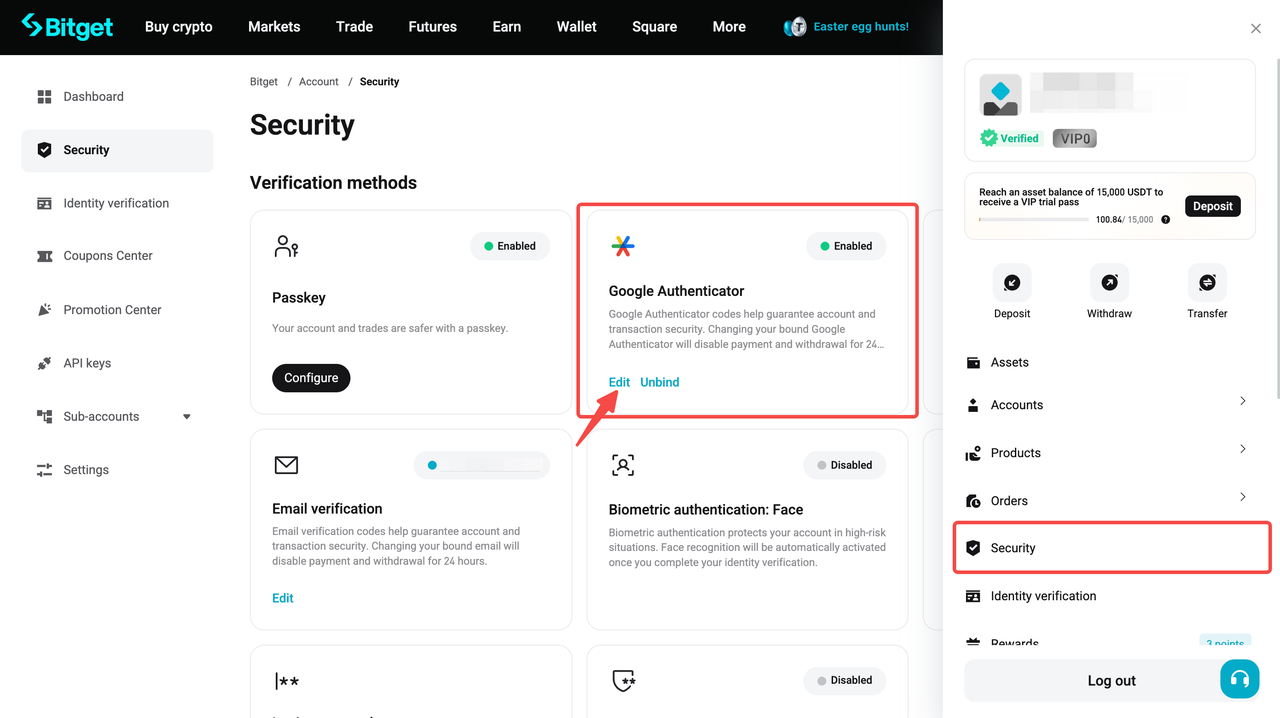
1º passaggio: modifica il Google Authenticator
1. Sulla pagina Sicurezza, individua Google Authenticator e clicca su [Modifica].
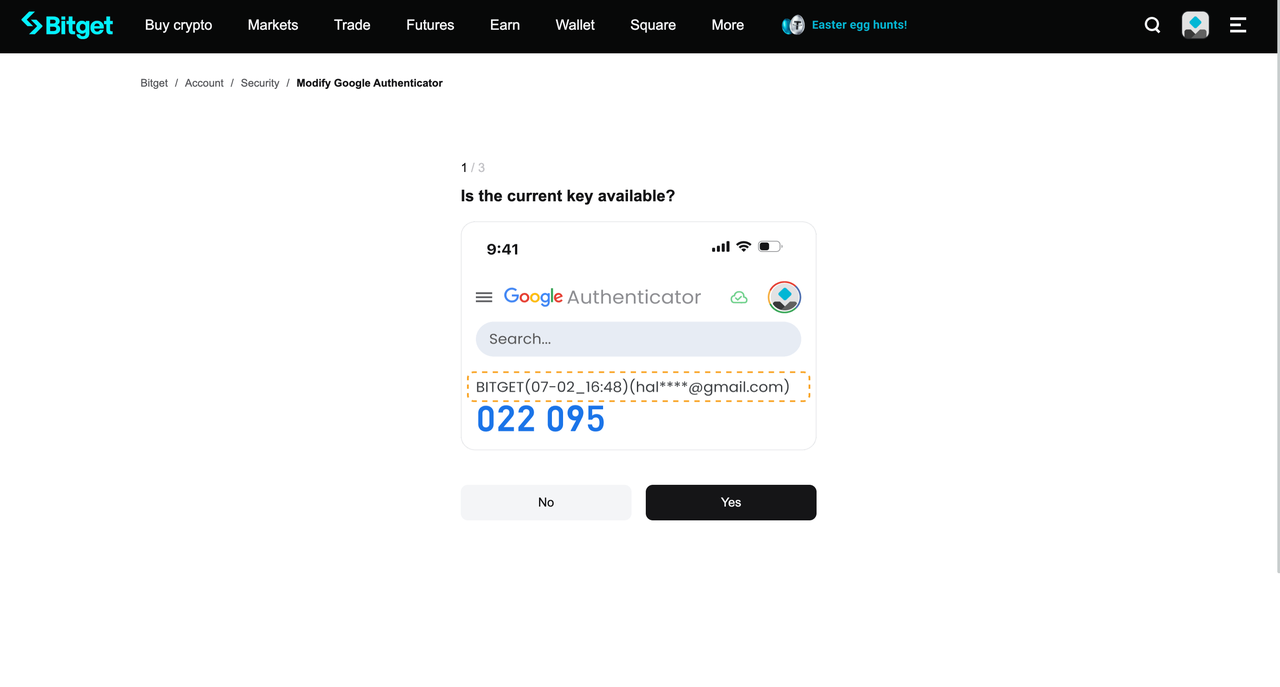
2º passaggio: conferma l'accesso all'attuale Google Authenticator
1. Se il tuo Google Authenticator attuale (vecchio) è disponibile, seleziona Sì per procedere con la verifica di sicurezza e sostituirlo con un nuovo Google Authenticator (vai direttamente al 5º passaggio).
2. Se non è disponibile, seleziona No per procedere con la disassociazione del vecchio Google Authenticator.
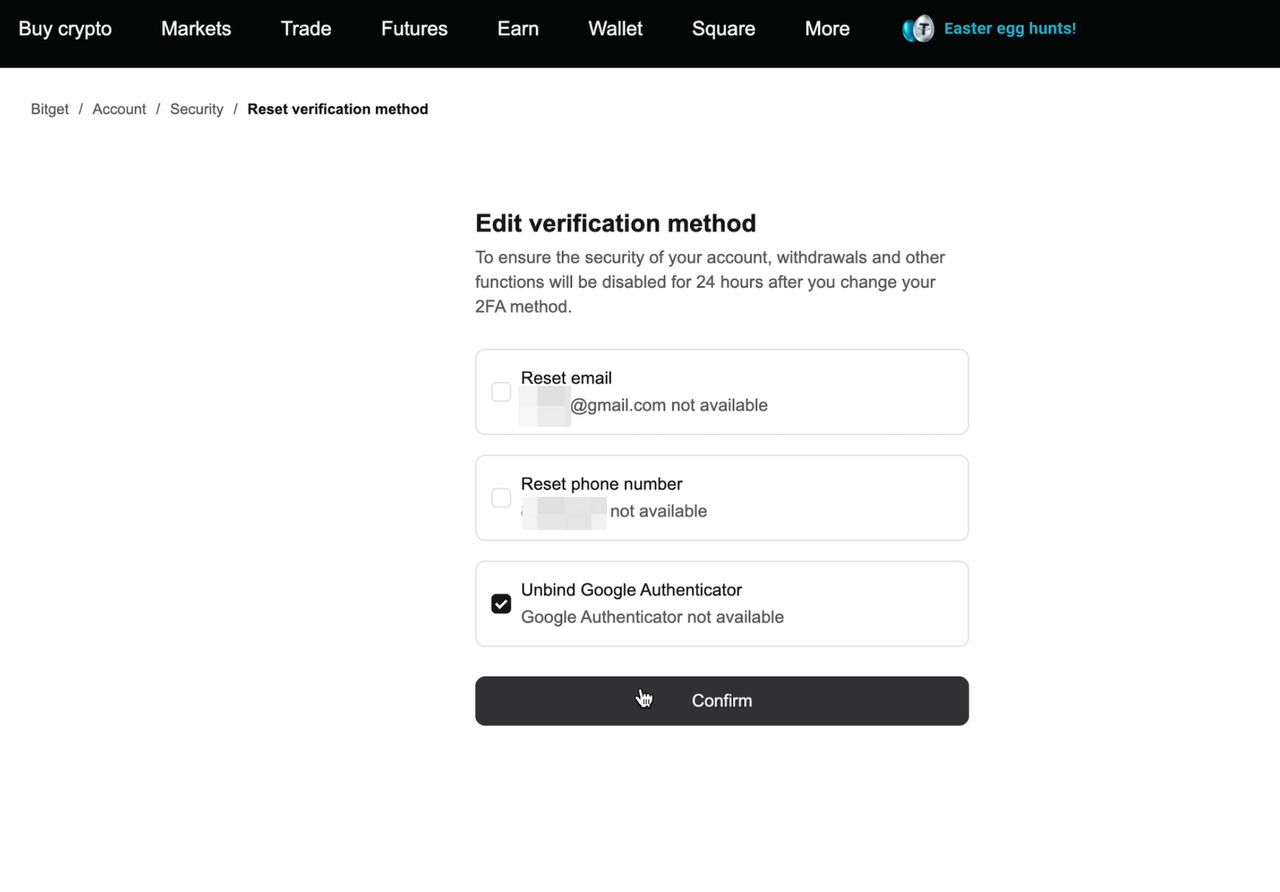
3º passaggio: disassocia il vecchio Google Authenticator
1. Seleziona Disassocia Google Authenticator, poi clicca su Conferma.
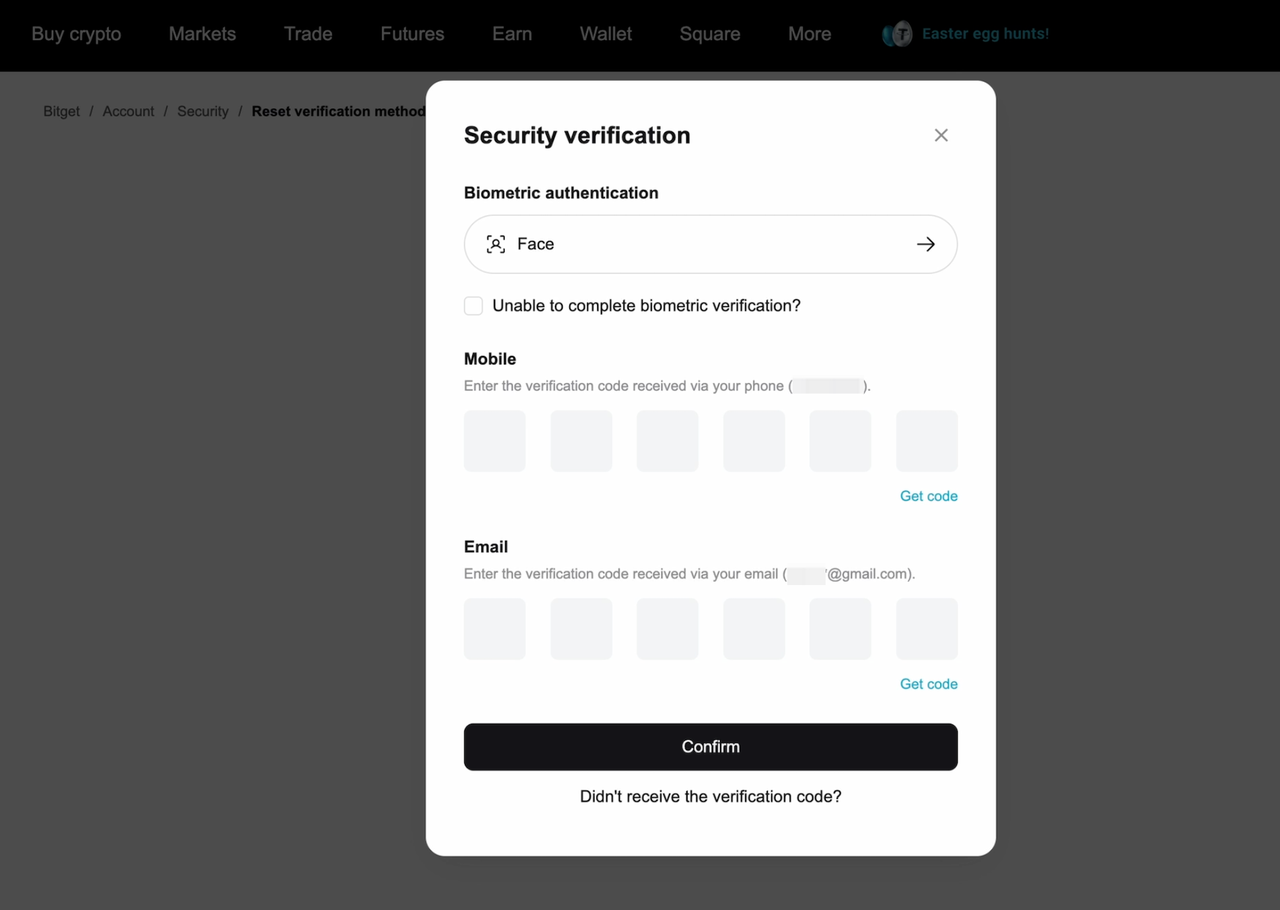
4º passaggio: completa la verifica di sicurezza
1. Completa tutti i passaggi di verifica richiesti e seleziona Conferma.
5º passaggio: associa un nuovo Google Authenticator
1. Apri l'app Google Authenticator.
2. Scansiona il QR code mostrato sulla pagina Modifica Google Authenticator, oppure aggiungi manualmente la chiave di configurazione.
3. Nella tua app comparirà una nuova voce "Bitget" e verrà generato un nuovo codice a 6 cifre.
4. Inserisci il codice a 6 cifre generato da questa nuova voce e seleziona Invia.
Note importanti: dopo aver modificato il Google Authenticator, i prelievi e il trading P2P saranno disattivati per 24 ore al fine di proteggere i tuoi asset. Le restrizioni saranno automaticamente revocate dopo questo periodo.
FAQ
1. Che cosa devo fare se la mia nuova app Google Authenticator non genera codici validi?
I codici di Google Authenticator si aggiornano ogni 30 secondi. Assicurati di inserire l'ultimo codice a 6 cifre prima che scada. Se il codice non funziona, prova a utilizzare il codice aggiornato successivo.
2. Cosa accade alla sicurezza del mio conto se modifico il Google Authenticator?
Modificare il Google Authenticator non influisce sulla sicurezza del tuo conto, a condizione che il nuovo Google Authenticator sia configurato e verificato correttamente.
3. Ci saranno delle restrizioni dopo aver modificato il Google Authenticator?
Sì. Per proteggere i tuoi asset, alcune funzioni del conto, come i prelievi e il trading P2P, saranno temporaneamente disattivate per 24 ore. Le restrizioni saranno revocate automaticamente.
4. Posso completare il processo senza l'app Google Authenticator?
No. È necessaria l'app Google Authenticator per scansionare il QR code e generare il codice di verifica a 6 cifre.
*Questo annuncio è sensibile al fattore tempo. Si prega di notare la data di pubblicazione. La piattaforma non si assume alcuna responsabilità per eventuali perdite dirette o indirette derivanti dal mutare delle circostanze o da contenuti obsoleti.